
32
Input Channels
Band, vocals, leadership mics and technical inputs.
Explore the real church mixing desk, signal groups and service workflow.
32
Band, vocals, leadership mics and technical inputs.
8
Control groups for vocals, Bishop mics, keys, band, bass, drums and guitar.
16
Monitor mixes, P16 feeds and FX sends. Bus 5/6 are not confirmed as primary livestream routing.
5
Side Fill, Overflow, Victoryland and scene-reference livestream matrices.
3
Drum Verb, Vocal Reverb and Vocal Delay references.
Console Basics
Core concepts every new sound team member needs before touching the desk during a service.
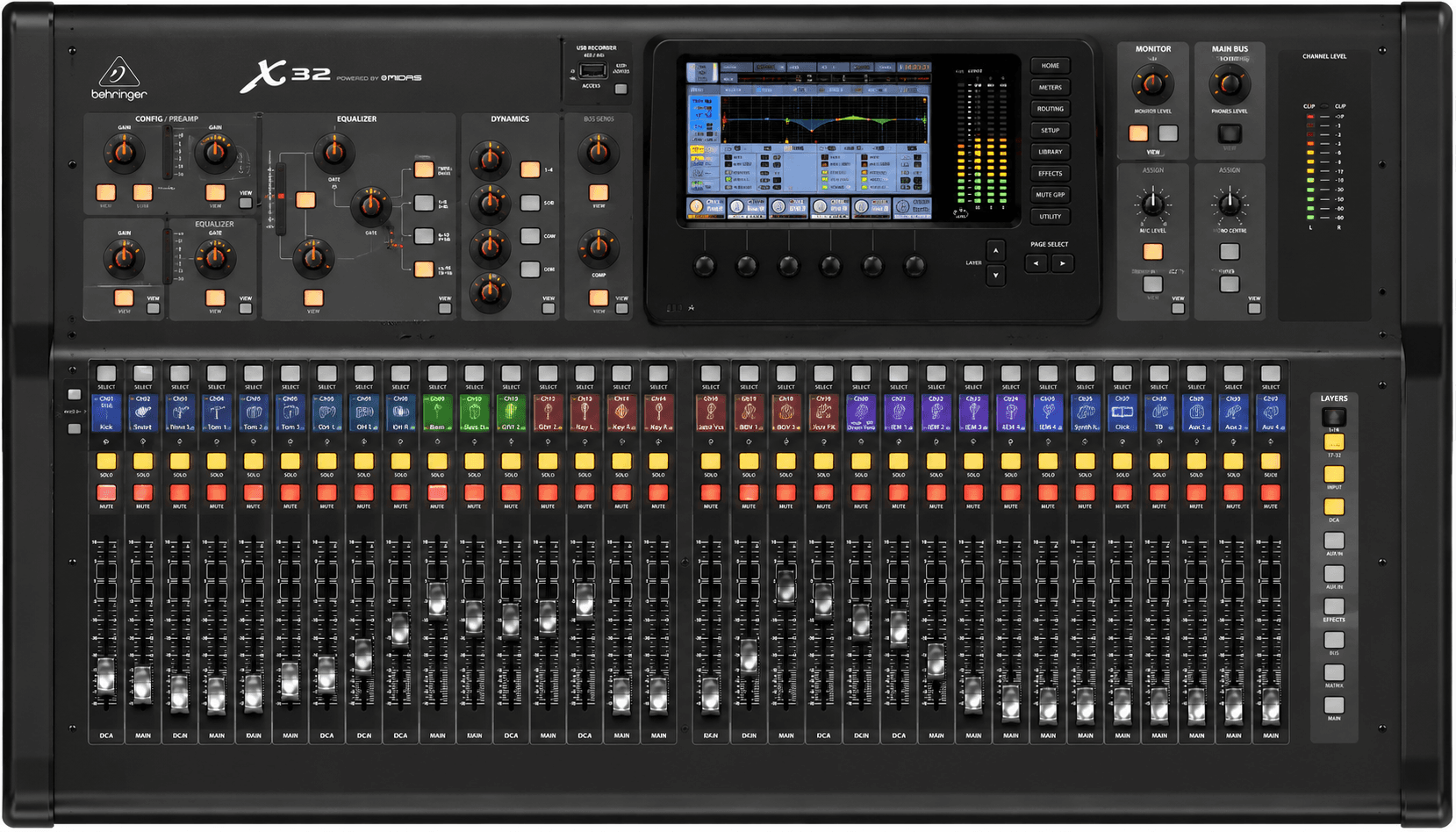
Learn what the X32 is, what it controls and how the surface is organised.
Learn what a channel is and how voices and instruments enter the desk.
Learn how to set clean input level before mixing.
Learn how DCAs control groups without routing audio.
Learn how audio is sent to monitors, P16 and FX.
Learn how room zones like Side Fill and Overflow receive audio.
Learn how vocal reverb, vocal delay and drum verb work.
Learn how performers hear themselves on stage.
Learn how to balance the service from worship to word.
Learn how the X32 connects to stage, FOH, Dante and livestream.
Service Workflow
Workflow shells for preparing, checking, running, monitoring and closing the VBCI production system.
60-90 min before service
Prepare every system before musicians and congregation arrive.
Checklist
Common Failures
30-45 min
Verify all channels, monitors and livestream paths.
Checklist
Common Failures
Entire service
Deliver a clear FOH and livestream mix.
Checklist
Common Failures
Entire service
Ensure Logic and livestream audio remain healthy.
Checklist
Common Failures
10-20 min
Leave the system ready for the next service.
Checklist
Common Failures
Church Setup
Compact technical map of the systems connected to the X32 ecosystem.
Main sound position
Primary audio control surface for services.
Depends on: Stage Box A, X32 Rack
Front half of auditorium
Main congregation reinforcement.
Depends on: Main LR, Subwoofer
FOH speaker chain
Low frequency support before FOH speakers.
Depends on: Main LR
Front auditorium coverage
FOH coverage zone fed from Matrix 2.
Depends on: Matrix 2
Near instruments
Primary stage I/O and monitor outputs.
Depends on: X32 Console
Behind Bishop
Additional local inputs and wireless receiver area.
Depends on: X32 Console
Stage
Performer foldback from Bus 1.
Depends on: Bus 1, Stage Box A
Stage
Performer foldback from Bus 2.
Depends on: Bus 2, Stage Box A
X32 Dante card to livestream position
Sends X32 Inputs 1-32 to Logic Pro.
Depends on: X32 Console, Dante Card
Livestream position
Creates the broadcast mix from Dante inputs.
Depends on: Dante Network
Online broadcast chain
Receives the Logic Pro broadcast mix.
Depends on: Logic Pro
Stage musician monitoring
Personal monitor feeds from confirmed P16 buses.
Depends on: X32 Console, Bus 4, Bus 7-12
Sound position to P16 users
CH32 communication into monitor users.
Depends on: CH32, P16 System
Overflow room
Room feed from Matrix 3.
Depends on: Matrix 3
Victoryland area
Room feed from Matrix 4.
Depends on: Matrix 4
Church Specific
System-specific shells for VBCI routing, stage infrastructure, livestream and room feeds.
Understand the real routing approach used at VBCI.
Learn what Stage Box A does and how it connects to stage monitors.
Learn how the X32 Rack behind Bishop supports local inputs and wireless receivers.
Understand how Dante feeds Logic Pro for livestream mixing.
Understand how room feeds are managed with matrices.